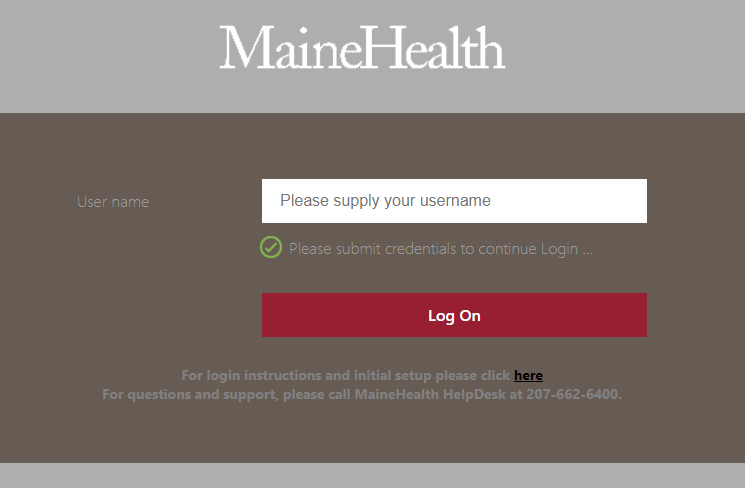
URL: https://mydesktop.mainehealth.org [Only works externally]
Note:
Windows users must be using a supported operating system that receives routine Windows Updates. * Min Requirements - Windows 10 1809
Mac OS users will need to download and install Microsoft Remote Desktop application. * Min Requirements - Mac OS X Version 10.14 or later
iPad users will need to download Remote Desktop Mobile app from the App Store icon on their device. * Min Requirements - iOS or iPadOS 13.0 or later
How to log in:
Log in using your MEHEALTH account that is associated with your Microsoft Authenticator MFA account:
Enter your password and you will then Approve the request that will be sent to the Microsoft Authenticator app on your mobile device:

Click on the Bookmark button in the top right hand corner of the screen:

Enter the CM Tag or Hostname of your machine in all three boxes. IMPORTANT Be sure to check the box for 'RDP Link':

Click Details and then Add to Favorites to make locating your device easier in the future:


You can now click on the icon in your favorites to launch your RDP session. Depending on your browser settings, you may need to tell Chrome or Edge to "Always open this type of files" for .RDP downloads.
Troubleshooting:
Issue: Invalid/username password error attempting to login to https://mydesktop.mainehealth.org even though credentials are correct
Cause: You most likely do not have access to your local PC on site.
1st Resolution: Please ensure you have filled out an Access Request Center Form found here. https://helpdesk.mmc.org/accounts/login.php
2nd Resolution: If you have recently received a replacement PC, please contact the Help Desk to have the replacement PC provisioned. IT Service Desk Phone Number 207-662-6400